Article Summary: Keyword cannibalization happens when multiple pages on your website compete for the same search query instead of one strong page owning it. The result is split authority, unpredictable rankings, lower conversion rates, and organic traffic that never reaches its potential. This guide covers what keyword cannibalization is, why it is harmful for small business websites, the warning signs to watch for, how to find it using Google Search Console and site searches, and the exact steps to fix it before it compounds into a bigger ranking problem.
Deep Dive with AI
What Is Keyword Cannibalization?
When multiple pages on your website compete for the same target keyword, it can lead to a situation where search engines have to choose which page deserves to rank. Instead of concentrating authority on one strong page, your link equity gets divided among competing pages, ultimately lowering overall search engine rankings.
Research suggests that pages affected by keyword cannibalization can lose up to 50% of their potential organic traffic as a result. If search engines cannot identify a clear winner among your pages, they may randomly rotate rankings, causing none of your content to perform at its best. This issue becomes particularly challenging as a site grows and managing your content strategy becomes more difficult without regular content audits that track how pages target overlapping keywords.
Why Keyword Cannibalization Is Harmful for Small Business Websites
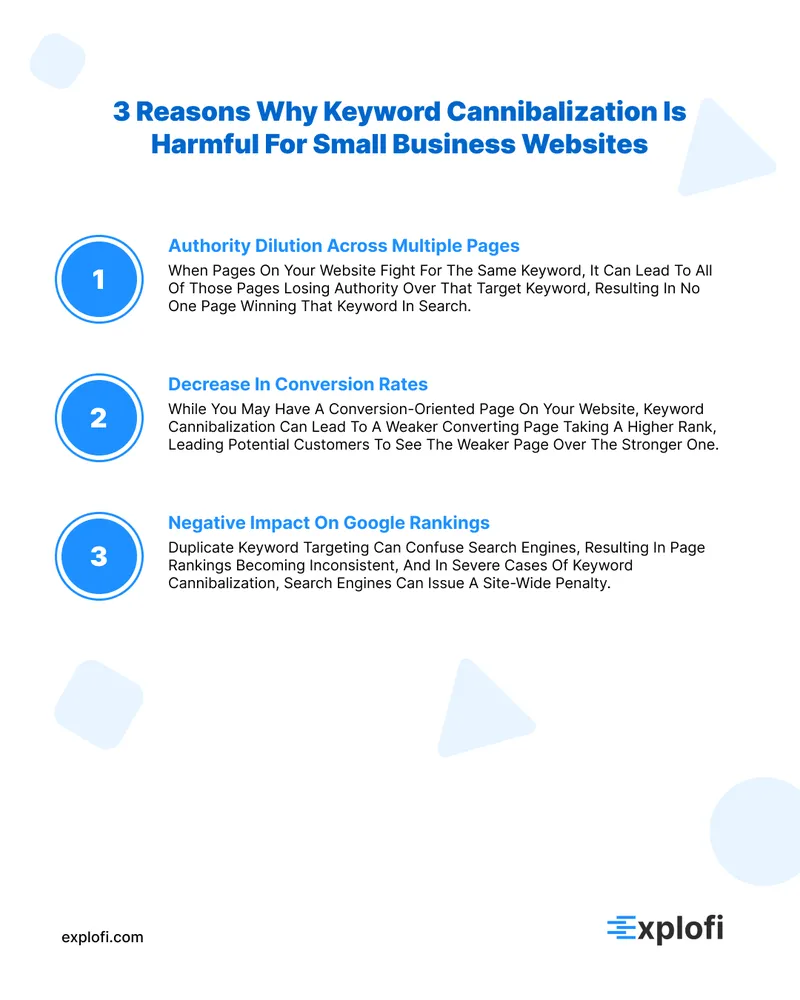
When multiple pages on your website compete for the same target keyword, a phenomenon known as keyword cannibalization occurs, causing more harm than most small business owners realize. Search engines like Google struggle to decide which page to rank, leading to lower search engine rankings across all competing pages rather than just boosting one.
Research on keyword cannibalization consistently shows that pages competing for the same query can lose a significant portion of their potential organic traffic. For small businesses with limited content, this is especially costly because:
- Authority is diluted across multiple pages instead of being concentrated on a single page
- Conversion rates decrease as users land on weaker, less relevant pages
- Google rankings become unpredictable and inconsistent
Confusing search engines with duplicate keyword targeting ultimately weakens your site's ability to compete.
It Confuses Search Engines About Which Page to Rank
Google analyzes various signals like backlinks, engagement, and content relevance to decide which webpage should rank first for a specific search query. When two webpages target the same primary keyword, Google's crawlers divide their attention between them, making it harder for both pages to receive strong ranking signals.
This affects how canonical tags and internal links are understood, as conflicting pages send mixed messages about which page is considered the most authoritative source. Studies have shown that this confusion can lead to significant fluctuations in rankings of 20-30%. The effects typically include:
- Reduced allocation of crawl budget
- Inconsistent search engine results page (SERP) positioning
- Weakened page authority scores
It Splits Your Page Authority Between Competing Pages
When it comes to search engine optimization, a key metric called page authority can become severely weakened when two pages are competing for the same target keyword. Instead of merging relevant content, engagement signals, and backlinks into one strong page, these signals get split between both pages.
This is like dividing a $100 bill into two $50s - neither has the same value as the original. As a result, how canonical tags and internal links are used to distribute ranking power becomes distorted, ultimately harming your strongest page. The practical consequences of this include:
- Reduced backlink equity per page
- Lower domain trust signals
- Inconsistent ranking positions across competing URLs
It Weakens Your Internal Linking Strategy
When multiple websites compete for the same target keyword, it can lead to a fragmented internal linking structure. This means that links are spread across multiple pages instead of being consolidated on one page, which weakens the authority of each individual page. As a result, neither page receives enough link equity to rank highly in search engine results.
The outcome is a weakened keyword strategy characterized by:
- Inconsistent anchor text signals across different pages
- Link equity being dispersed rather than concentrated on one strong page
- Search engines receiving conflicting signals about which page to prioritize
This misreading of your site's content hierarchy can be attributed directly to Google, causing it to incorrectly assess the structure and organization of your website.
It Wastes Your Crawl Budget
Your website's crawl budget is the number of pages that Google will visit within a specific time frame, and keyword cannibalization has a significant impact on it. When multiple pages on your site target the same keywords, Google's crawlers waste time on duplicate or competing content instead of finding valuable pages.
This can be particularly problematic for smaller sites, which often have limited crawl budgets. As a result, wasted crawls on cannibalized pages can slow down the indexing of important content.
The effects of keyword cannibalization are measurable and can include:
- A decrease in crawl frequency for high-priority pages
- New pages taking longer to get indexed
- An increase in crawl errors across competing URLs
It Hurts Your Conversion Rates
Keyword cannibalization has a significant impact on your business's bottom line, as it can affect how visitors experience your website and ultimately drive revenue. When Google favors one page over another, even if it's not the strongest option, users may encounter subpar content that leads to frustration and a loss of sales.
Research suggests that a single-second delay or an irrelevant landing page can cause conversion rates to drop by as much as 7%. Consider the consequences:
- Visitors are more likely to leave your site quickly when they're presented with mismatched pages
- Trust is eroded when users feel like they're not getting the complete information they need
- Purchase decisions stall because of unclear or unfocused messaging
Content cannibalization occurs when you split your audience across multiple pages that lack the depth and clarity needed to convert visitors effectively.
Is Keyword Cannibalization Always a Problem?
When it comes to content cannibalization, not all instances are detrimental to your website's performance. In fact, having multiple pages targeting similar keywords can sometimes serve different search intents in a way that benefits your site. For instance, a blog post focused on broad keyword optimization strategies and a dedicated service page targeting a specific transactional keyword can coexist without harming your rankings.
The crucial difference lies in whether the pages are serving a distinct purpose or simply duplicating each other's intent. Research has shown that pages with clearly defined search intents can rank simultaneously without splitting authority, provided they offer:
- Unique angles on the topic
- Different content formats
- Separate conversion goals
- Non-overlapping body copy
When Multiple Pages Targeting Similar Keywords Are Acceptable
To avoid the cannibalization problem when creating multiple pages targeting similar keywords, it's essential to understand how each page serves a distinct keyword purpose tied to separate user intent. A blog post reviewing a product and a landing page selling that product can both target similar keywords without causing any issues.
Google identifies these differences through specific strategies, including:
- Unique conversion goals: Each page has its own unique goal, whether it's informational or transactional in nature.
- Non-overlapping body copy: The content on each page is distinct and doesn't overlap with the other page, ensuring that users are directed to the most relevant information.
- Different content formats: The format of the content itself, such as a blog post versus a landing page, also helps Google distinguish between the two pages and prevent cannibalization.
When Different Search Intents Justify Separate Pages
When it comes to creating separate pages on a website, the main factor to consider is the user's search intent. This determines whether multiple pages can coexist without causing content cannibalization. For instance, a page targeting "emergency plumber" has transactional intent, while one targeting "how to fix a leaky pipe" has informational intent.
These two types of intent serve different purposes and won't confuse search engines. According to Google's own documentation, it's perfectly fine for pages with different content focus and conversion goals to rank simultaneously, making the separation of these pages justified rather than detrimental.
Common Causes of Keyword Cannibalization on Small Business Sites
Small business websites often fall prey to content cannibalization due to a few easily avoidable mistakes. One common error is creating content without a keyword map, which can lead writers to target overlapping topics on multiple pages without realizing the duplication. When titles and meta descriptions are identical, it sends a strong signal to Google that two pages serve the same specific purpose.
Additionally, poor internal linking practices also contribute to this issue, as linking multiple pages to the same target keyword can confuse search engines and make those pages seem interchangeable. Furthermore, a disorganized content calendar can exacerbate the problem over time, causing duplicate themes to emerge across blog posts, service pages, and landing pages simultaneously.
Lack of a Keyword Map or Content Strategy
Without a keyword map, small business websites often fall victim to content cannibalization due to the lack of a structured plan to assign each page a unique target keyword. A keyword map serves as a roadmap, carefully pairing specific URLs with specific search terms to avoid duplication before any content is created.
This crucial step prevents two pages from competing for the same query, which can split authority and dilute rankings. The consequences worsen when websites lack essential elements such as:
- A documented system that clearly assigns keywords to each URL
- Clear differentiation between pages intended for informational purposes and those meant for transactions
Publishing Too Many Product or Service Pages With Overlapping Topics
Small businesses often create separate pages for services like "roof repair," "roof replacement," and "roofing services" that target very similar keywords. This duplication leads to content cannibalization, causing ranking authority to be split across multiple URLs. As a result, no single page is able to gain enough strength to rank competitively.
To avoid keyword cannibalization from overlapping service pages, businesses should consider the following strategies:
- Consolidate pages that cover the same core content into one authoritative URL, eliminating duplication and focusing on a single source of information.
- Use canonical tags to signal to Google which page is the preferred version, helping to prevent confusion and ensure that search engine rankings are accurate.
Unplanned Blog Growth Over Time
Blogging sites that don't have a well-planned content strategy are more likely to experience keyword cannibalization. As time passes, publishing articles on similar topics repeatedly leads to duplicate posts competing for the same target keyword. Conducting a content inventory audit can show that years of posting without a plan have created many posts that cover very similar search intent, which in turn negatively affects overall rankings.
Poor Site Architecture and URL Structure
When building a flat site structure with no clear hierarchy, search engines may struggle to determine which page is most relevant to a particular query. This can happen when URLs follow inconsistent patterns, such as `/services/cleaning` and `/cleaning-services`. As a result, both pages may end up targeting the same target keyword without any clear indication of which one is more authoritative.
To resolve this issue, canonical tags come into play. By specifying which URL is the preferred version, canonical tags help search engines avoid splitting authority between competing pages. Without them, even well-written and relevant pages can compete against each other, weakening overall rankings across the site.
Keyword Cannibalization vs. Keyword Stuffing
While both keyword stuffing and content cannibalization negatively impact search engine rankings, they are distinct issues. Keyword stuffing involves excessively incorporating a target keyword into a single page, violating Google's Webmaster Guidelines and risking manual penalties. On the other hand, content cannibalization spreads the same keyword intent across multiple pages, forcing search engines to choose a winner.
The main differences lie in:
- Keyword stuffing harms one page due to over-optimization
- Content cannibalization weakens multiple pages simultaneously
- Stuffing triggers algorithmic penalties, whereas cannibalization quietly erodes authority over time
Research indicates that stuffed pages can lose up to 30% of their organic visibility following core algorithm updates. In contrast, cannibalized pages experience gradual ranking erosion that often goes unnoticed for months.
Keyword Cannibalization vs. Duplicate Content
Unlike duplicate content, which involves copying the same or very similar text across multiple websites, keyword cannibalization is a structural problem where different webpages compete for the same target keyword. Duplicate content can trigger Google's filtering algorithms, potentially removing redundant pages from search results entirely.
Keyword cannibalization, on the other hand, keeps all competing pages indexed while splitting ranking signals between them. The main difference lies in intent: duplicate content repeats information, whereas cannibalization creates separate webpages with overlapping search intent, including:
- Different URLs targeting the same query
- Unique content competing for identical rankings
Warning Signs Your Small Business Website Has Keyword Cannibalization
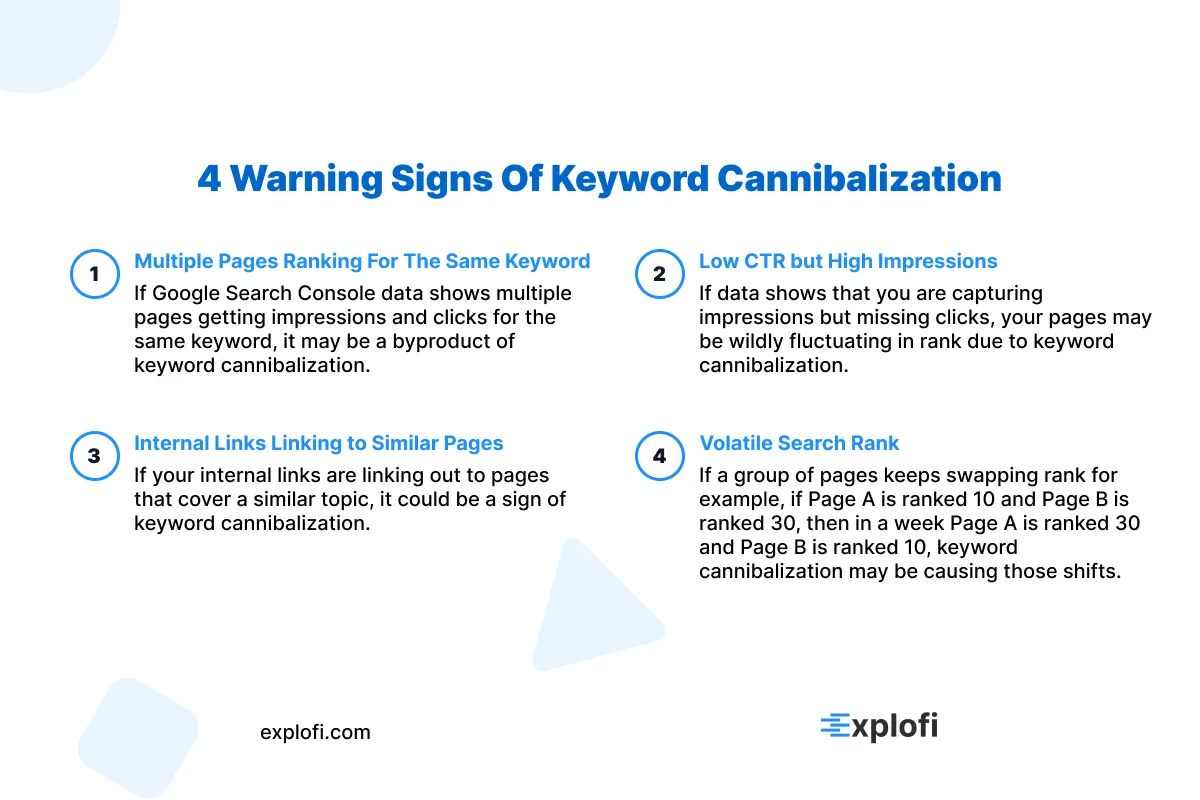
To avoid a significant ranking drop, it's essential to identify and fix keyword cannibalism early on. One of the most noticeable signs is finding identical titles and overlapping meta descriptions across multiple pages, which signals to search engines that no single page has clear authority. Using Google Search Console to track keyword rankings can be particularly insightful, as you may notice two or more URLs from your site switching positions for the same query.
To further spot potential issues, keep an eye out for these specific warning signs:
- Multiple pages competing for the same target keyword
- Declining click-through rates despite stable impressions
- Internal links pointing to competing pages in a way that's inconsistent
- Fluctuating rankings caused by split authority
If left unchecked, keyword cannibalism can lead to a substantial decrease in organic traffic, with some cases seeing drops of 20-30%.
Your Rankings Constantly Fluctuate Between Multiple URLs
When multiple URLs on your website compete for the same target keyword, Google's algorithm can create an unstable ranking situation that's easy to observe in real-time. This happens when two or more pages vie for the top spot, causing the search engine to switch between them randomly. As a result, your position in search results can fluctuate significantly, sometimes by as much as 10 to 20 spots within just a few days.
This instability is further exacerbated by internal links that point to different competing pages, which can divide authority and prevent any one page from holding a stable ranking. Instead of having a single strong page consistently rank well, you may end up with several weaker pages that cycle through the rankings in an inconsistent manner.
The Wrong Page Is Ranking for Your Target Keyword
When reviewing your website's performance in Google Search Console, a low-authority page unexpectedly ranking for a target keyword is a clear sign of keyword cannibalization. This occurs when competing pages share link equity, making neither page strong enough to claim the top spot. As a result, the wrong page typically ranks, often due to one of the following scenarios:
- A blog post overtaking a core service page
- A tag or category page stealing rankings from a pillar page
- An older page ranking over a more optimized and updated version
Research suggests that cannibalized pages can experience a significant decline in click-through rates, up to 20%, when the incorrect URL captures the top ranking position. To detect keyword cannibalization, compare which URL Google actually serves versus which page you initially intended to rank for the target keyword.
Your Organic Traffic Has Unexpectedly Declined
When organic traffic suddenly drops, it can be an early warning sign of keyword cannibalization. Before other issues arise, Google Search Console data often shows a noticeable decrease in impressions and clicks for previously stable keywords. This pattern typically leads to a 15-25% reduction in traffic over time, as search engines struggle to decide which page deserves authority, ultimately suppressing both pages rather than giving one an advantage.
Multiple Pages Compete for the Same Search Query in Google Search Console
Google Search Console's Performance report provides valuable insights into how different pages on your site are competing for the same search query. By filtering a specific keyword, you can often see multiple URLs listed under the "Pages" tab, each drawing impressions away from the others. To identify keyword cannibalization using this method, look out for:
- Queries where two or more URLs share impressions, but neither one receives more than 23% of the total clicks
- Pages that have similar average positions, which are constantly shifting between ranks 6 and 15
- A decline in impression counts on both competing URLs at the same time
How to Find Keyword Cannibalization on Your Small Business Website
To identify keyword cannibalization on your small business website, one effective way is to use Google's search operator "site:yourdomain.com [keyword]" for a site search. This search yields every indexed URL competing for the same keyword, providing a clear view of the issue. Next, turn to Google Search Console as your most precise diagnostic tool, which reveals which URLs are sharing impressions for the same queries.
By filtering the Performance report by a specific keyword, you can spot pages ranked between positions 6 and 15, a common pattern of cannibalization. Additionally, reviewing your title tag data across competing pages helps, as identical phrases targeting the same keywords signal direct competition that weakens your overall rankings.
Perform a Google Site Search
When you type "site:yourdomain.com [keyword]" into Google's search bar, it brings up every webpage on your domain that targets that specific term. This helps you see competing URLs at once. For instance, searching for "site:mybakery.com custom cakes" might show three separate pages all optimized for the phrase "custom cakes".
This tells search engines that there is no clear authority page on your site. Each result listed highlights a cannibalization conflict, and pages ranking between positions 6 and 15 are usually the most affected by this split authority.
Audit Google Search Console for Overlapping Queries
To analyze your website's performance in Google Search Console, start by visiting the Performance report and applying a filter for query. This will help you identify overlapping keywords, allowing you to see which queries have multiple URLs competing for visibility. Sorting these queries by impressions will reveal the ones where multiple pages are vying for attention.
By clicking on each individual query, you can determine which specific URLs are associated with it. However, if two pages share the same query and receive fragmented clicks - meaning that users are clicking on different parts of the page rather than navigating to a new URL - this is known as split-signal cannibalization.
This phenomenon requires immediate attention because it can negatively impact your website's performance and user experience.
Build a Keyword Map to Track Page-Level Targeting
To create an effective keyword map, follow these steps:
- Start by listing every page URL along with its primary and secondary keywords.
- Next, identify any keywords that appear on more than one page - these may be causing overlap or cannibalization.
- Use Google Search Console to verify which URLs actually rank for each term, ensuring accuracy in your keyword map.
By taking this structured approach, you can resolve keyword cannibalization and give each page a clear, exclusive targeting role, ultimately preventing overlap and improving overall performance.
Use SEO Tools to Run a Cannibalization Report
To optimize your website's performance in search engine results, specialized SEO tools such as Ahrefs, Semrush, and Screaming Frog can quickly analyze your entire domain for potential issues like keyword cannibalization. With Semrush's Position Tracking tool, you can easily identify duplicate keyword rankings across multiple URLs on a single dashboard.
Similarly, Screaming Frog's crawling feature allows you to export a spreadsheet of every URL on your site along with its targeted keywords, making it clear when there are overlaps. These tools also provide valuable insights into the impacts of keyword cannibalization, such as ranking volatility and lost click-through rates.
By regularly running these reports, especially after publishing new content, you can take proactive steps to prevent keyword cannibalization from affecting your pages and ultimately eroding your search visibility.
How Explofi Helps Small Businesses Prevent Keyword Cannibalization Before It Happens
Keyword cannibalization is almost always a planning problem. It happens when you publish content without a clear map of which page owns which keyword. The fix is not just auditing what you have already published. It is building a content system that prevents the overlap from happening in the first place.
Explofi's AI Topical Map is built for exactly this. Before you create a single piece of content, the topical map shows you what to write, which keywords each page should target, and how every piece connects to the rest of your content library. You never end up with two blog posts competing for the same query because the map tells you exactly where each topic belongs before you build it.
For small businesses growing their content library past ten, twenty, or thirty posts, a topical map is the difference between a content strategy that compounds and a content strategy that cannibalizes itself.
Stop publishing content that competes with itself. Build a topical map with Explofi and know exactly what to create next. Start free today.