Deep Dive with AI
What Is Technical SEO and Why Does It Matter?
Technical SEO refers to the behind-the-scenes optimizations that ensure search engines can crawl, index, and rank your website effectively. Unlike content or backlinks, it focuses on your site's infrastructure. A poorly optimized site can suffer from:
- Slow website speed penalizing rankings
- Broken internal links disrupting crawl paths
- Duplicate content issues confusing search engines
- Missing XML sitemaps blocking proper indexation
Google evaluates technical health as a direct ranking factor, meaning even the most compelling content fails without it. Core web vitals, for instance, measure real user experience through metrics like largest contentful paint and cumulative layout shift, both weighted in Google's algorithm. Studies show 53% of mobile users abandon sites that take over three seconds to load, making technical SEO foundational, not optional. It is one of the three foundational pillars of search engine optimization, alongside on-page and off-page work.
How Technical SEO Differs From On-Page and Off-Page SEO
On-page SEO targets visible content like headers, keywords, and meta descriptions, while off-page SEO builds authority through a backlink profile. Technical SEO, by contrast, governs how well search engines crawl and index a site's infrastructure, covering elements like the xml sitemap, url structure, and redirect chains.
These three pillars are distinct, but technical issues directly undermine the impact of even the strongest on-page or off-page efforts.
The Role Technical SEO Plays in Search Engine Rankings
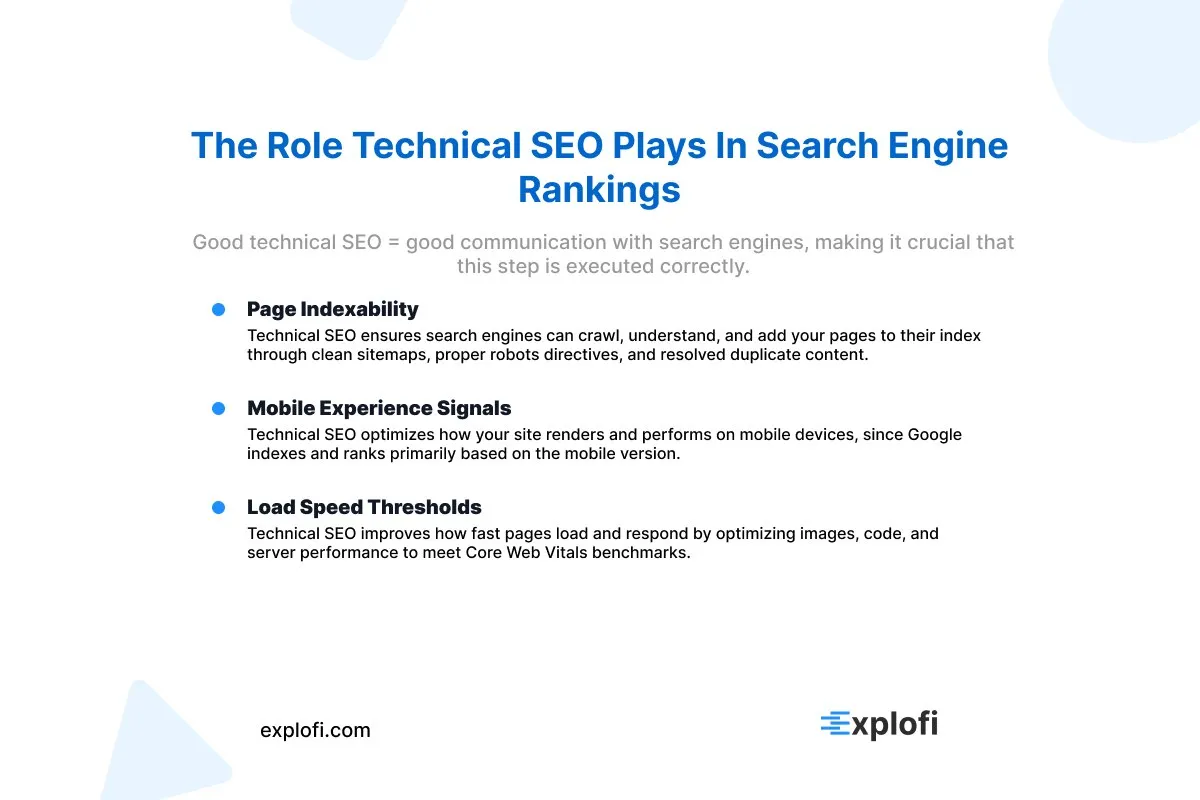
Structured data markup, for instance, helps Google parse page content into rich snippets, which can increase click-through rates by up to 30%. A strong site structure ensures search engines follow a logical crawl path, reducing wasted crawl budget. Technical SEO health directly influences rankings through:
- Page indexability
- Mobile experience signals
- Load speed thresholds
Why Technical SEO Has Become More Critical in the Age of AI
AI crawlers like GPT-Bot and Google's own Gemini now parse structured data to pull answers directly into AI-generated responses. Implementing structured data gives these systems cleaner signals about your content, directly influencing whether it surfaces in AI Overviews. Google's 2023 Search Generative Experience rollout confirmed that technically sound pages, particularly those with valid schema and strong core web vitals, receive preferential treatment when AI systems synthesize search results.
How Search Engines Crawl, Render, and Index Your Website
Googlebot discovers pages through links, then renders them using a headless Chromium browser to process JavaScript before indexing. The rendering queue can delay indexing by days or weeks, which directly impacts search performance. To ensure proper crawling, consider these elements:
- Your XML sitemap
- Robots meta tags
- Canonical tag usage
- Redirect chains
JavaScript rendering alone can block content from being indexed if scripts load critical text.
The Step-by-Step Process Google Uses to Discover Your Content
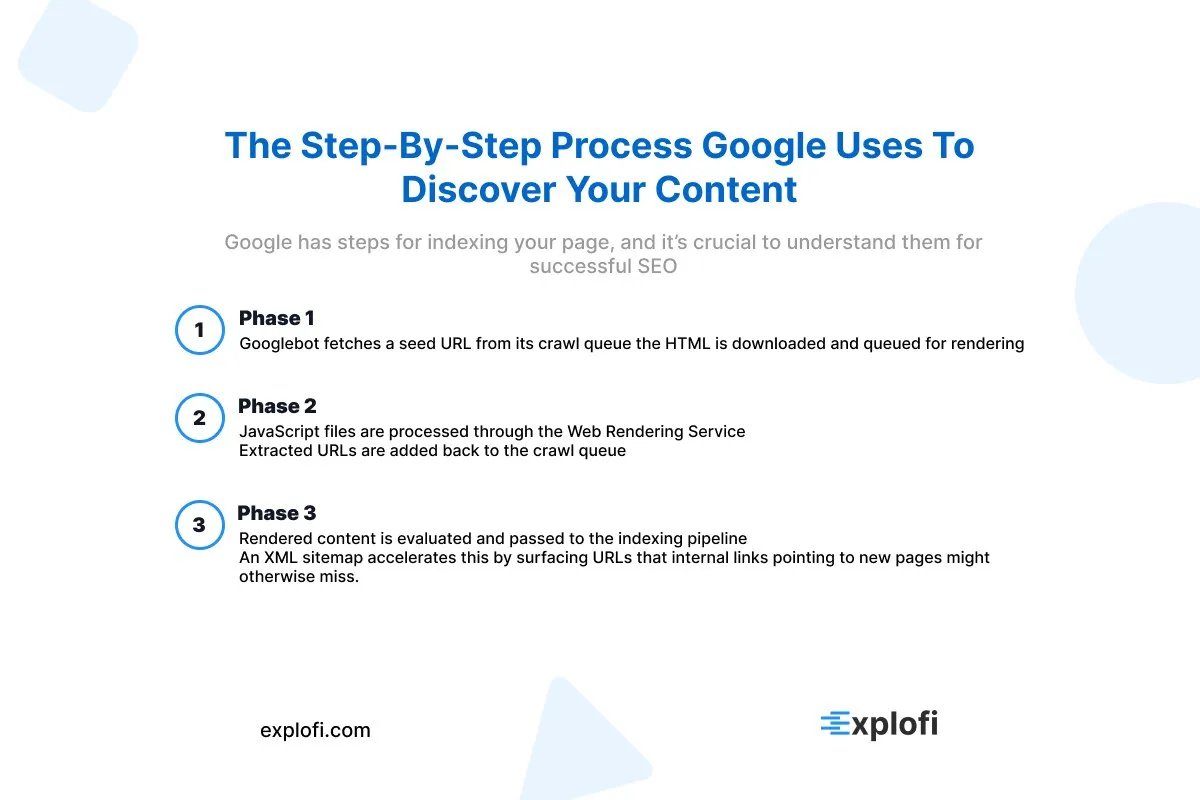
Google's discovery process follows a structured sequence that determines whether your content ever reaches search results. The process works like this:
- Googlebot fetches a seed URL from its crawl queue
- The HTML is downloaded and queued for rendering
- JavaScript files are processed through the Web Rendering Service
- Extracted URLs are added back to the crawl queue
- Rendered content is evaluated and passed to the indexing pipeline
An XML sitemap accelerates this by surfacing URLs that internal links pointing to new pages might otherwise miss.
How JavaScript Rendering Affects Crawlability
Google's Web Rendering Service processes JavaScript after the initial HTML crawl, creating a two-wave indexing delay that can push content visibility back by days or weeks. Client-side rendered frameworks like React or Angular are particularly vulnerable, since Googlebot must execute their scripts before reading any content.
Using server-side rendering reduces this gap significantly, keeping critical content directly in the raw HTML.
The Difference Between Crawling and Indexing
Crawling is discovery, while indexing is storage and evaluation. Googlebot crawls a page to collect raw HTML, then separately decides whether to index it based on quality signals. A `noindex tag` tells Google to skip storage entirely, even if the page was crawled. Notably, Google Search Console distinguishes between these two states, reporting "Crawled, currently not indexed" separately.
Building an SEO-Friendly Site Architecture
A logical URL structure paired with a clean xml sitemap allows Googlebot to efficiently map your site's hierarchy without wasting crawl budget. As your website grows, orphaned pages and redirect chains create technical SEO issues that fragment link equity across hundreds of URLs. A flat site architecture, where any page sits within three clicks of the homepage, keeps navigation tight and ensures search engines can reach your most critical content.
Why a Flat Site Structure Improves Crawl Efficiency
A flat site structure keeps any page reachable within three clicks from the homepage, which directly reduces the crawl depth Googlebot must navigate. Deeper architectures force crawlers through unnecessary link layers, consuming crawl budget on low-priority pages. A well-optimized url structure and logical navigation ensure efficient discovery by:
- Limiting crawl depth to three levels maximum
- Using an XML sitemap to surface orphaned pages
- Placing internal links on high authority pages to pass equity downward
How Internal Linking Supports Deep Page Discovery
Pages buried four or more clicks deep receive significantly less crawl equity, as Googlebot prioritizes shallower paths. When you add internal links from high-traffic blog posts to deeper service pages, you effectively shorten that crawl distance, surfacing content that might otherwise stay undiscovered across an ecommerce site's sprawling url structure.
Consistent URL Structures and Their Impact on SEO
Consistent URL structures signal content hierarchy directly to crawlers, making your url structure an essential component of technical SEO. Poorly formatted URLs with random strings or excessive parameters create duplicate content issues, since Google may index multiple versions of the same page. Clean, descriptive slugs like `/services/technical-seo` outperform `/page?id=123` because they communicate key topics clearly, improving both crawl efficiency and click-through rates.
Crawl Budget Optimization for Large Websites
Crawl budget, defined by Google as the number of URLs Googlebot can and wants to crawl, becomes critical for sites exceeding 1,000 pages. Misallocated budget wastes crawler visits on low-value URLs. To reclaim it:
- Block parameter driven URLs using a robots.txt file
- Apply a noindex tag to thin or duplicate content issues
- Submit a refined XML sitemap through Google Search Console
What Crawl Budget Is and Why It Matters
Crawl budget refers to the number of URLs Googlebot will crawl on a site within a given timeframe, governed by two factors: crawl capacity and crawl demand. Sites with thousands of pages face the sharpest consequences when this budget is misallocated, as Googlebot may never reach high-priority content.
A refined xml sitemap and a properly configured noindex tag directly influence how efficiently crawlers allocate visits, ensuring critical pages receive consistent attention over low-value ones.
How to Identify and Eliminate Crawl Budget Waste
Redirect chains silently drain crawl budget by forcing Googlebot through multiple hops before reaching a destination URL. Google Search Console's Coverage report directly exposes these inefficiencies, flagging crawl anomalies across thousands of URLs. Each redirect hop adds latency and reduces the likelihood of deep pages being crawled, making chain resolution a high-priority technical SEO issue for large-scale sites.
Using Log File Analysis to Understand Real Bot Behavior
Raw server logs reveal exactly which URLs Googlebot crawled, how frequently, and at what response times. Patterns like repeated crawling of low-value URLs or ignored deep pages expose real allocation gaps. A log file analysis typically examines:
- Crawl frequency per URL
- Bot response codes (200, 404, 301)
- Crawl distribution across site structure
XML Sitemaps and How to Use Them Effectively
An XML sitemap acts as a roadmap, telling search engines which URLs on your site deserve crawling and indexing. Google officially supports sitemaps of up to 50,000 URLs per file, with a 50MB uncompressed size limit. A well-structured xml sitemap should exclude noindex tag pages, redirects, and canonicalized URLs, since submitting these signals contradictions that confuse crawlers and dilute indexing efficiency across your site structure.
How to Create and Submit an XML Sitemap to Google
Generating an XML sitemap is straightforward using SEO plugins like Yoast, which automatically compile eligible URLs into a structured file. After generating it, submit the sitemap through Google Search Console under the "Sitemaps" tab by entering the sitemap URL. Google then queues it for crawling, though indexing timelines vary based on site authority and crawl demand.
Validating Your XML Sitemap for Errors
Use Google Search Console's URL Inspection tool to catch technical SEO issues within your xml sitemap, like malformed URLs or entries returning 404 errors. Tools like Screaming Frog flag these automatically by checking:
- Status codes
- Redirect chains
- Noindex tag conflicts
- File sizes exceeding 50MB
When and Why to Update Your Sitemap
Updating your xml sitemap should align with meaningful site changes, not arbitrary schedules. Situations that warrant an immediate update include:
- Publishing new pages or blog posts
- Removing outdated or deleted URLs
- Restructuring your site structure
- Changing canonical URLs after resolving duplicate content issues
Google's own documentation recommends resubmitting through Google Search Console after significant updates. For frequently updated sites, daily pings keep crawlers current, while smaller sites benefit from weekly refresh cycles.
Robots.txt File Best Practices for Technical SEO
The robots.txt file is a plain-text protocol that tells crawlers which directories or pages to access or ignore, sitting at the root of your domain. A misconfigured txt file can accidentally block Googlebot from crawling critical pages, effectively making them invisible in search results. For example, disallowing the `/wp-admin/` directory is correct practice, but accidentally disallowing `/wp-content/` blocks CSS and JavaScript files, which Google uses to render and understand your pages.
Google's own documentation confirms that blocked resources can prevent google from indexing content correctly. Keeping your disallow rules narrow and regularly auditing them through Google Search Console helps catch these misconfigurations before they compound into larger technical SEO issues.
How the Robots.txt File Controls Crawler Access
The `robots.txt` file uses a straightforward directive system to control crawler access at the directory or URL level. Specifically, `Disallow` rules block crawlers from specific URL paths, while `Allow` rules override those blocks for targeted exceptions. For instance, a rule like `Disallow: /staging/` prevents crawlers from accessing an entire subdirectory.
Google Search Console's robots.txt tester helps validate these directives, confirming whether a specific URL is accessible or blocked before misconfigurations escalate into technical SEO issues.
Common Robots.txt Mistakes That Hurt SEO
One of the most damaging robots.txt mistakes is using an overly broad `Disallow` directive that accidentally blocks critical resources. For example, writing `Disallow: /` blocks all crawlers from the entire site, a mistake that can completely eliminate search visibility. Beyond that, common errors include:
- Blocking CSS, JavaScript, or image folders
- Using a `noindex tag` alongside conflicting `Allow` rules
- Forgetting to specify individual bots using the `Useragent` directive
Each error compounds technical SEO issues that directly reduce crawlability and rankings.
How to Test and Validate Your Robots.txt File
Google Search Console's robots.txt tester is the most reliable way to validate your txt file, as it simulates how Googlebot reads each directive in real time. Paste your robots.txt content directly into the tool, then test specific URLs to confirm they return the expected "allowed" or "blocked" status.
A blocked URL that should be crawlable is a clear sign of a misconfigured directive requiring immediate correction.
Canonicalization and Solving Duplicate Content Issues
Duplicate content issues split your page's link equity across multiple URLs, directly weakening rankings. A `canonical tag` (`rel="canonical"`) signals Google's preferred URL, consolidating authority to one version. Common scenarios requiring canonicalization include:
- HTTP vs. HTTPS variations
- Trailing slash vs. nontrailing slash URLs
- WWW vs. nonWWW versions
Google Search Console's Coverage report flags duplicate content issues, letting you pinpoint which URLs need canonical tags applied immediately.
What Canonical Tags Are and How to Implement Them
Placed in the `<head>` of your HTML, a canonical tag uses this exact syntax:
```html<link rel="canonical" href="https://example.com/preferred-page/" />```
To implement it correctly:
- Point it to the exact preferred URL, including trailing slashes
- Apply it consistently across paginated or filtered versions
- Avoid self referencing loops between pages
How to Use the Noindex Tag Without Hurting Your Rankings
The `noindex tag` tells search engines to exclude a page from their index entirely, which makes it powerful but risky if misapplied. Pages like thank-you confirmations, internal search results, or duplicate filtered views are ideal candidates. Avoid applying it to pages earning backlinks or organic traffic, since Google will drop them from results within days of recrawling.
A safe implementation checklist includes:
- Confirm the page has zero ranking value
- Verify no external links point to it
- Test visibility changes using Google Search Console
Finding and Fixing Duplicate Content Across Your Website
Screaming Frog and the site audit tool in Ahrefs crawl your entire domain and flag duplicate URLs within minutes, organizing them by similarity score. From there, cross-check flagged pages against Google Search Console's Coverage report to confirm which duplicates are actively competing for rankings.
Focus your fixes on pages with the highest organic impressions:
- Merge near identical pages via 301 redirects
- Apply canonical tags to filtered or paginated variants
- Consolidate duplicate product descriptions
HTTPS and Website Security as Technical SEO Signals
HTTPS has been a confirmed Google ranking factor since 2014, when Google announced it as a lightweight signal affecting roughly 1% of global queries, with plans to strengthen it over time. A secure connection via SSL/TLS encrypts data between the server and the user's browser, which directly reduces bounce rates caused by browser security warnings.
Chrome, which holds over 65% of the global browser market, flags HTTP pages as "Not Secure," creating a negative user experience that signals poor trust to search engines. Key HTTPS implementation checkpoints include:
- Valid SSL certificate installation
- Full HTTP to HTTPS 301 redirects
- Mixed content resolution across all assets
Why HTTPS Is More Than Just a Ranking Signal
Beyond search rankings, HTTPS directly shapes how users and browsers interact with your site. Google Search Console surfaces security issues under the "Security & Manual Actions" report, flagging mixed content warnings where HTTP resources load on an HTTPS page. These mixed content errors break encryption integrity, exposing user data even on a technically secure domain.
A properly implemented SSL certificate also reduces redirect chains that fragment crawl equity, since HTTP-to-HTTPS redirects add unnecessary hops that slow indexing and dilute link authority.
How to Migrate From HTTP to HTTPS Without Losing Rankings
Migrating from HTTP to HTTPS requires updating your XML sitemap to reflect all new secure URLs before submitting it through Google Search Console. Redirect chains compound crawl equity loss, so each HTTP URL needs a direct 301 redirect pointing to its HTTPS equivalent. The migration checklist should cover:
- Updating internal links sitewide to HTTPS
- Replacing hardcoded HTTP references in CSS and JavaScript
- Verifying canonical tags point to HTTPS versions
SSL Certificate Errors and How to Fix Them
SSL certificate errors like ERR_CERT_COMMON_NAME_INVALID or NET::ERR_CERT_AUTHORITY_INVALID directly impact how search engines crawl and rank your pages. These errors appear when the certificate's domain doesn't match the URL, or when it's expired, which browsers like Chrome treat as a hard block. To resolve them:
- Verify the certificate covers all subdomains using a wildcard SSL
- Renew expired certificates before the 90day Let's Encrypt expiration cycle
- Ensure proper chain installation to avoid authority validation failures
How Explofi Helps Small Businesses Execute SEO on a Technically Sound Foundation
Technical SEO fixes the foundation. But a crawlable, indexable website with no content is still invisible in search results. Once your site speed is optimized, your sitemap is submitted, your robots.txt is configured correctly, and your canonical tags are in place, the next step is building the localized content that gives Google something worth ranking.
That is where Explofi comes in. Explofi helps small businesses create localized service pages, blog content, topical maps, and internal linking structures that sit on top of a technically sound foundation and drive real organic traffic. You do not need to understand crawl budgets or canonical tags to use Explofi. You just need a website that Google can access and Explofi handles the content execution from there.
Technical SEO gets you indexed. Explofi gets you found.
A technically sound website is the foundation. Explofi builds the content that makes it rank. Start free and see what your competitors are ranking for that you are not.
Frequently Asked Questions
What Is Technical SEO in Simple Terms?
Technical SEO is the process of making sure search engines can find, crawl, render, and index your website correctly. While on-page SEO focuses on your content and off-page SEO builds your authority through backlinks, technical SEO focuses on the infrastructure underneath everything. This includes your site speed, mobile friendliness, URL structure, sitemap, robots.txt file, canonical tags, and structured data markup. Without a solid technical foundation even the best content and strongest backlinks will underperform because search engines cannot access or understand your site correctly.
Does Technical SEO Affect Rankings Directly?
Yes. Google has confirmed multiple technical SEO factors as direct ranking signals including page speed through Core Web Vitals, mobile friendliness, HTTPS security, and structured data. A site that fails Core Web Vitals thresholds can see measurable ranking drops even if its content is strong. Technical issues like duplicate content, broken internal links, misconfigured robots.txt files, and missing sitemaps can suppress rankings or prevent pages from being indexed entirely. Technical SEO is not optional for competitive rankings it is the foundation everything else is built on.
How Do I Know If My Site Has Technical SEO Problems?
The fastest way to identify technical SEO issues is through Google Search Console. The Coverage report shows which pages are indexed and which are blocked or excluded and why. The Core Web Vitals report shows whether your pages pass Google's page experience thresholds. The URL Inspection tool lets you run a live crawl test on any specific page to see exactly what Google sees. Beyond Google Search Console tools like Screaming Frog can crawl your entire site and flag broken links, duplicate content, missing title tags, and redirect chains in one report.
What Is Crawl Budget and Do I Need to Worry About It?
Crawl budget is the number of pages Googlebot will crawl on your site within a given timeframe. For small business websites with fewer than a few hundred pages crawl budget is rarely a concern because Googlebot can crawl the entire site efficiently. It becomes important for larger sites with thousands of pages where Googlebot may run out of crawl allocation before reaching all your content. If you have a small site the most important thing is making sure your robots.txt is not accidentally blocking pages and that your sitemap is submitted correctly to Google Search Console.
What Is the Difference Between a Canonical Tag and a Noindex Tag?
A canonical tag tells Google which version of a page is the preferred one when multiple versions exist. It does not remove the page from the index it just consolidates the ranking signals to the canonical URL. A noindex tag tells Google to exclude the page from the index entirely. Use canonical tags when you have duplicate or near-duplicate pages that should all point their authority to one primary URL. Use noindex tags on pages that have no ranking value at all like thank you pages, internal search results, or staging pages that accidentally got indexed.
How Long Does Technical SEO Take to Show Results?
Technical SEO improvements can show results faster than content or link building because many fixes directly affect how Google crawls and indexes your pages. Submitting a corrected sitemap can lead to new pages being indexed within days. Fixing a misconfigured robots.txt that was blocking crawlers can recover rankings within weeks of Google recrawling the affected pages. Core Web Vitals improvements can influence rankings within one to two months of Google processing the updated signals. The timeline depends on how frequently Google crawls your site which is influenced by your site authority and how often you publish new content.