
Article Summary: An FAQ page gives customers quick answers to common questions about products, services, pricing, shipping, returns, billing, and support. A well-organized FAQ can reduce repetitive support requests, build trust, improve the customer experience, and support SEO by targeting question-based searches. Strong FAQ pages use clear categories, concise answers, helpful internal links, mobile-friendly design, and regular updates to keep information accurate and useful.
Deep Dive with AI
What Is an FAQ Page?
The Core Purpose of an FAQ Page
An FAQ page serves as a centralized resource answering your most common customer questions. Beyond convenience, it can reduce support emails by 20-40%, improve trust, and boost conversions by addressing objections before checkout. Using FAQPage schema markup also helps search engines better understand and display your content, making it easier for potential customers to find answers quickly.
FAQ Page vs. Help Center: Key Differences
An FAQ page focuses on answering common questions concisely, covering topics like pricing, shipping, and returns. A help center is broader, offering in-depth guides, tutorials, and troubleshooting documentation. While an FAQ page suits quick answers, a help center supports more complex customer needs.
Both reduce support requests, but serve different levels of user inquiry.
FAQ Page vs. Knowledge Base: What Sets Them Apart
An FAQ page offers quick answers to common questions, typically covering 8-20 Q&As on topics like pricing, shipping, and troubleshooting. A knowledge base goes deeper, providing detailed guides, tutorials, and documentation. While an FAQ page prioritizes brevity and accessibility, a knowledge base supports more complex problem-solving, making both valuable but distinct tools for customer support.
Why FAQ Pages Matter for Businesses and Customers
Reducing Repetitive Customer Support Requests
A well-structured FAQ page directly addresses common inquiries, reducing the need for customers to contact support. Including essential details like shipping times, return windows, and payment options prevents repetitive back-and-forth inquiries. Regularly updating answers as products or policies change also helps maintain accuracy, ensuring customers consistently find reliable information without reaching out to your support team.
Building Trust and Credibility With Visitors
An FAQ page builds trust by giving visitors clear, honest answers before they need to ask. Research shows 40% of users convert after reading an FAQ that resolves their concern, demonstrating its direct impact on credibility. Covering topics like pricing, returns, and troubleshooting signals transparency, helping visitors feel confident in their decision-making process.
Improving the Overall Customer Experience
A well-structured FAQ page directly improves customer experience by enabling quick self-service, reducing frustration and wait times. Tracking metrics like bounce rate, time on page, and self-resolution rates helps identify gaps. Regularly updating answers to reflect current policies, shipping timelines, and warranty terms ensures visitors always find accurate, relevant information that builds trust and supports conversions.
Strengthening Brand Authority and Expertise
A well-structured FAQ page signals transparency and builds credibility with visitors. By consistently answering industry-relevant questions, businesses demonstrate expertise and authority in their niche. Using FAQPage schema markup from schema.org further enhances search visibility, reinforcing brand presence.
Proactively addressing concerns can also reduce support tickets by up to 40%, reflecting a knowledgeable, customer-focused operation.
The SEO Benefits of a Well-Optimized FAQ Page
How FAQ Pages Increase Organic Search Traffic
FAQ pages capture question-based search queries by targeting natural language phrases users type into search engines. When structured with schema.org FAQPage markup, content becomes eligible for rich results, increasing visibility without earning a higher ranking. This drives additional organic clicks from users who find direct answers in search results, improving overall traffic quality and site engagement.
Targeting Long-Tail Keywords Through FAQ Content
FAQ content naturally captures long-tail keywords by mirroring the conversational questions real users search. Implementing FAQPage schema markup further boosts search visibility by helping search engines understand your Q&A structure. Targeting natural language queries within 5-15 concise answers allows you to rank for specific, low-competition phrases while simultaneously reducing support load and guiding visitors to relevant pages.
How to Earn Featured Snippets With FAQ Answers
To earn featured snippets with FAQ answers, structure your content using FAQPage schema markup, which can trigger rich results in search. Write direct, concise answers that fully address the question within the page. Answers should mirror how users phrase their queries and avoid unnecessary jargon, increasing the chance search engines surface your content prominently.
What Schema Markup to Use for an FAQ Page
Use FAQPage schema markup for an FAQ page. This structured data type, defined by Schema.org, helps search engines understand your content and display rich results, including expanded question-and-answer snippets directly in search results. Implementing it correctly can improve visibility and click-through rates by making answers accessible before a user even visits your site.
Tracking FAQ Page Performance in Search Console
Google Search Console helps you monitor how your FAQ page performs in organic search. Track metrics like impressions, clicks, and average position to identify gaps in your content. Pay attention to search queries leading users to your FAQ, as this reveals what questions to prioritize. Reviewing these insights regularly ensures your FAQ stays relevant and visible.
Types of Questions Commonly Found on FAQ Pages
General Product and Service Questions
General product and service questions typically cover details like pricing, shipping timelines, return policies, and account management. A well-structured FAQ page usually includes 8-20 questions with direct answers, helping users find information quickly. Sites with comprehensive FAQ sections often report measurable drops in first-contact support inquiries, improving overall user satisfaction and reducing response times.
Shipping, Delivery, and Fulfillment Questions
Shipping, delivery, and fulfillment questions are among the most common topics customers look for on an FAQ page. Addressing these clearly can reduce support inquiries by 30-50% and improve conversion rates by up to 20%. Cover estimated delivery times, tracking options, shipping costs, and fulfillment timelines using plain language to help customers find answers quickly without contacting support.
Returns, Exchanges, and Refund Policy Questions
Returns, exchanges, and refund policies are among the most commonly addressed topics on FAQ pages. A well-structured FAQ page should answer these questions clearly, using plain language to build trust and reduce support inquiries. Grouping return and refund questions under a dedicated category helps users find answers faster, improving overall experience and potentially boosting conversion rates.
Account Setup and Technical Support Questions
Account setup and technical support questions are among the most common inquiries on any FAQ page. Addressing these upfront can reduce support tickets by 30-40%, making them essential to include. Keep answers clear, jargon-free, and direct, ensuring users can resolve issues without additional help.
A well-structured technical support section builds trust and improves overall user experience.
Billing, Pricing, and Payment Questions
Billing questions in an FAQ should address pricing, accepted payment methods, billing cycles, and invoicing. Answers should be concise, covering 1-4 sentences per question. Grouping these under a dedicated category helps users find answers quickly, reducing support requests. Keeping pricing details current and accurate is essential, as outdated information can create confusion and erode customer trust.
Loyalty Programs, Rewards, and Membership Questions
Loyalty programs, rewards, and membership questions are among the most common topics customers raise on FAQ pages. Addressing these upfront can shorten the path to purchase by 20-40% on some sites. Clear answers about point expiration, tier requirements, and membership benefits reduce support tickets while building trust through transparency about program policies and terms.
How to Identify the Right Questions for Your FAQ Page
Analyzing Customer Support Tickets and Inquiries
Analyzing customer support tickets and inquiries is one of the most reliable ways to identify which questions belong on an FAQ page. By reviewing common themes across tickets, businesses can prioritize the top 3-5 recurring issues first, then expand to 10-15 questions as patterns emerge. This data-driven approach ensures the page addresses real user needs rather than assumed ones.
Reviewing Live Chat Transcripts and Social Media Comments
Live chat transcripts and social media comments are goldmines for FAQ content. These real interactions reveal the exact language customers use and the questions they ask most frequently. Reviewing these sources regularly helps ensure your FAQ addresses genuine concerns, potentially covering 15-25 core questions that reflect actual visitor needs rather than assumptions about what customers want to know.
Using Search Data and Keyword Research Tools
Search data and keyword research tools help identify the most common questions your audience is actually asking. By analyzing search queries, you can prioritize which questions belong on your FAQ page. These tools reveal long-tail queries that signal strong user intent, helping your FAQ capture organic traffic while directly addressing the concerns visitors have before converting.
Collecting Direct Customer Feedback and Surveys
Direct customer feedback and surveys are among the most reliable ways to identify what questions to include in your FAQ. By analyzing common pain points, you can ensure your FAQ addresses 60-80% of routine inquiries without human intervention. Regular surveys help keep content current, reducing support volume while improving the overall customer experience on your site.
Monitoring On-Site Search Queries
Tracking what visitors type into your site's internal search bar reveals exactly what they're looking for but can't find. Reviewing these queries regularly helps identify content gaps, missing product pages, or unclear navigation. This insight allows you to update your FAQ page with real customer language, improving both usability and SEO performance over time.
How to Create an Effective FAQ Page
Step 1: Establish the Goals of Your FAQ Page
Start by identifying what you want your FAQ page to achieve. Common goals include reducing repetitive support inquiries, improving conversion rates, and boosting search visibility. Your FAQ should guide visitors to information quickly while serving both customers and support teams. Clear objectives help determine which questions to prioritize, what tone to use, and how to structure the page effectively.
Step 2: Categorize Questions by Topic and Intent
Once you've gathered common questions, sort them into logical groups such as Shipping, Billing, or Returns. This helps users navigate directly to their area of concern without scrolling through unrelated content. Organizing by intent, whether informational or transactional, ensures each answer serves a clear purpose and reduces the time users spend searching for help.
Step 3: Write Clear, Concise, and Actionable Answers
Each answer should directly address the question without unnecessary filler. Avoid jargon and keep responses brief, typically 2-3 sentences. Where relevant, include numeric data like delivery times or return windows to boost credibility. Starting with 8-12 core questions ensures comprehensive coverage while maintaining clarity across your FAQ page.
Step 4: Determine the Best Page Structure and Format
Organizing your FAQ page with clear categories like Shipping & Delivery or Billing helps visitors find answers faster. Using expandable accordions keeps pages clean, while a searchable index improves navigation. Adding schema.org FAQPage markup can increase click-through rates by up to 20-30%, making your page more visible in search results.
Step 5: Design the Page With User Experience in Mind
When designing an FAQ page, prioritize intuitive navigation and readability. Use clear categories, concise answers, and plain language so users find information quickly. Collapsible accordions help reduce visual clutter, while a search function improves accessibility. A well-designed FAQ page reduces support requests, boosts conversions, and enhances overall user satisfaction by delivering answers efficiently.
Step 6: Publish the Page and Monitor Its Performance
After publishing, track key metrics like page views, bounce rate, and search rankings to evaluate effectiveness. Monitor which questions drive the most traffic and update content based on user behavior. Well-maintained FAQ pages can reduce support inquiries by up to 50% on mature sites, so regular reviews ensure your page stays accurate and continues improving user experience.
Step 7: Update Your FAQ Page Regularly
An FAQ page should be reviewed and refreshed regularly to reflect product changes, policy updates, and emerging customer questions. Outdated answers can mislead visitors and hurt your credibility. Regular updates also support SEO goals, as search engines favor accurate, current content. Consider scheduling quarterly reviews to ensure your FAQ page remains a reliable, relevant resource.
FAQ Page Structure and Formatting Best Practices
How to Organize Questions in a Logical Order
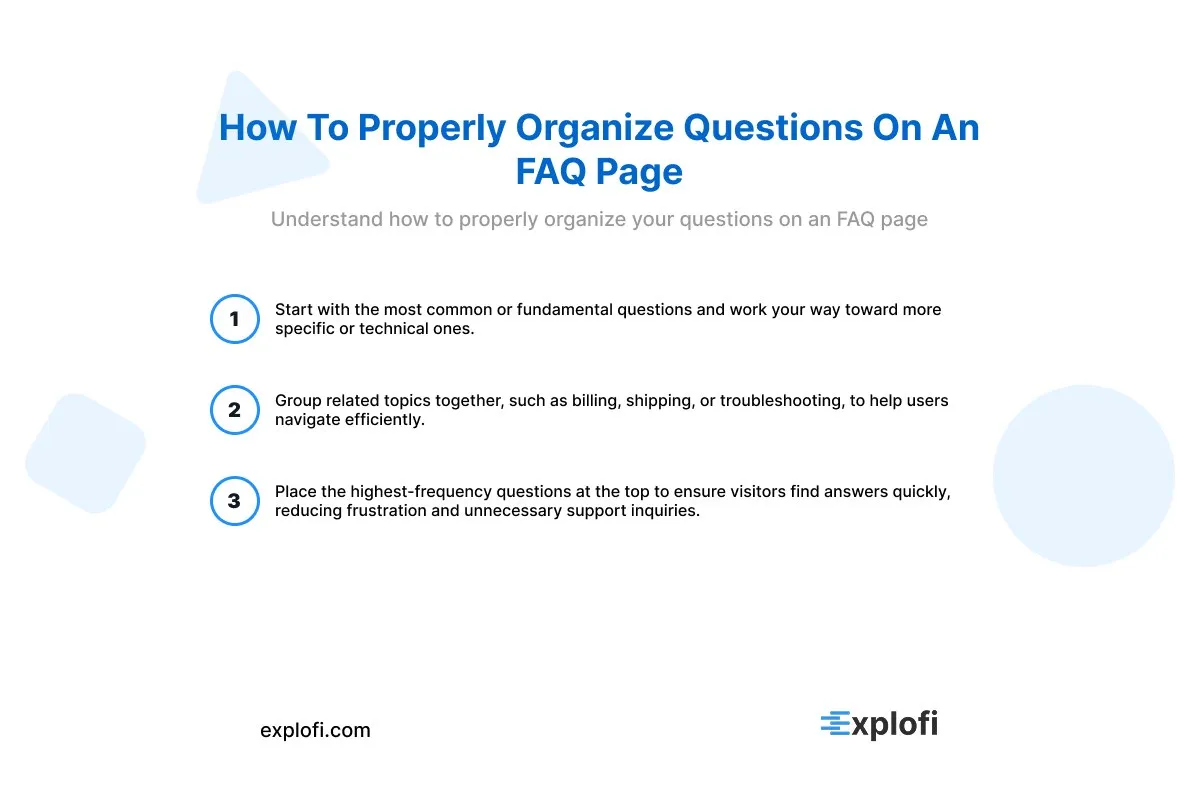
Start with the most common or fundamental questions and progress toward more specific or technical ones. Grouping related topics together, such as billing, shipping, or troubleshooting, helps users navigate efficiently. Placing the highest-frequency questions at the top ensures visitors find answers quickly, reducing frustration and unnecessary support inquiries.
Accordion vs. Natural Scroll: Which Format Works Best
Both formats have merits depending on your content volume. Accordion-style FAQs work best for pages with many questions, as they reduce scrolling and improve navigation. Natural scroll suits shorter FAQ sections where all answers benefit from immediate visibility. For SEO, accordion formats can still be indexed when properly coded with FAQPage schema markup.
When to Use Headers and Subcategories for Large FAQ Pages
Use headers and subcategories when your FAQ page grows beyond 10-12 questions. Organizing by user intent, such as grouping topics like "Billing," "Getting Started," and "Technical," improves scannability and reduces friction. This structure also supports SEO through clear headings and can help cut support inquiries by up to 20-40% when visitors find answers faster.
How to Use Visuals, Videos, and Infographics in FAQ Answers
Visuals, videos, and infographics make FAQ answers easier to digest, especially for setup steps or troubleshooting. Embedding a short video or a simple infographic can reduce support tickets by up to 40% by helping users self-serve more effectively. Pair visuals with concise text and ensure they are mobile-friendly to maintain accessibility across all devices.
FAQ Page Design and User Experience Considerations
Implementing a Search Bar for Faster Navigation
A search bar helps users quickly locate specific answers without scrolling through every category. For FAQ pages handling dozens of questions across multiple topics, this feature significantly improves navigation speed. Many sites that optimize for fast self-service access report reducing support inquiries by 20-40%, making a prominently placed search bar one of the most practical tools for improving overall user experience.
Using Accordion Menus to Improve Scannability
Accordion menus allow users to scan question headers quickly without wading through lengthy answers. By collapsing responses until clicked, they reduce visual clutter and improve page readability. This format works especially well for FAQ pages covering multiple categories like pricing, shipping, and returns, helping visitors locate relevant information faster without scrolling through an overwhelming wall of text.
Ensuring Mobile Responsiveness and Accessibility
Mobile responsiveness ensures an FAQ page displays correctly on all screen sizes, since most users browse on smartphones. Accessibility practices, such as proper contrast ratios and keyboard navigation, help all visitors use the page effectively. Following Web Content Accessibility Guidelines (WCAG) standards reduces barriers and broadens your audience, while a mobile-friendly layout also supports better search engine rankings.
Aligning FAQ Page Design With Your Brand Guidelines
Your FAQ page should reflect the same visual identity as the rest of your site, using consistent fonts, colors, and tone of voice. Matching brand guidelines builds trust and creates a seamless user experience. Since 40-60% of users expect to find FAQs on a site, a well-designed, on-brand page encourages them to stay longer and engage more confidently with your content.
Linking to Deeper Resources and Related Pages
For complex topics, linking to deeper resources and related pages helps users find complete answers without overwhelming your FAQ. A well-structured FAQ typically features 3-7 core questions, with links directing visitors to detailed guides, policy pages, or product documentation when a full explanation is needed, keeping individual answers concise and easy to scan.
What a Great FAQ Page Should Include
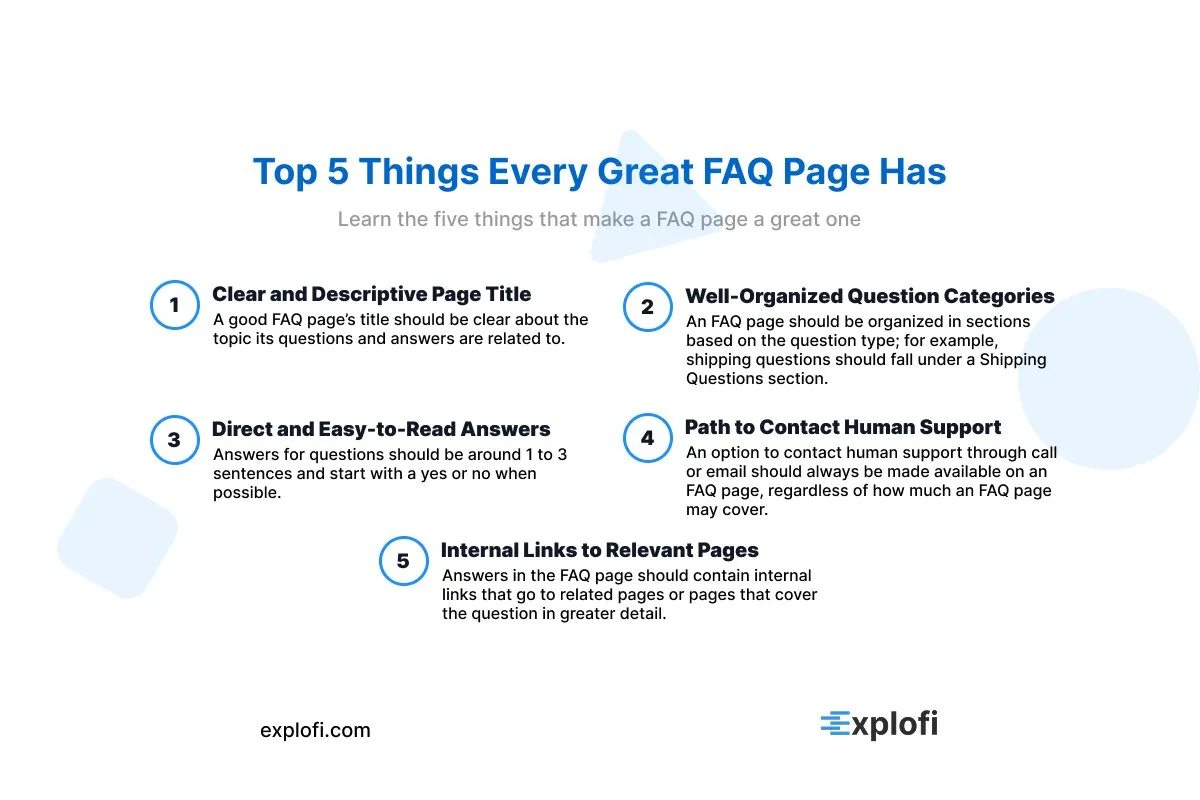
A Clear and Descriptive Page Title
A clear and descriptive page title helps users immediately understand what an FAQ page covers. It should reflect the content's purpose, whether focused on pricing, support, or onboarding. Using relevant keywords naturally in the title also supports SEO visibility, including FAQPage schema implementation, which can improve search engine results and help answer-rich snippets appear for common user queries.
Well-Organized Question Categories
Organizing FAQ questions into logical categories like Shipping, Pricing, and Troubleshooting makes it easier for users to find answers quickly. This structure can lower support calls by 20-30% while improving on-site trust. Using expandable sections and clear headlines further enhances readability, ensuring visitors navigate efficiently without feeling overwhelmed by information.
Direct and Easy-to-Read Answer Formats
FAQ answers should start with a direct yes/no or definitive statement, followed by brief supporting details. Keep each answer to 1-3 sentences using plain language written from the customer's perspective. Grouping related questions and using expandable sections prevents information overload, making it easier for visitors to find answers quickly without wading through unnecessary content.
A Path to Contact Human Support When Needed
Even the best FAQ page can't cover every situation, so offering a direct path to human support is essential. A simple "Contact Us" link or live chat option ensures visitors aren't left frustrated. Studies show that reducing support friction can cut resolution times significantly, helping retain customers who might otherwise abandon their inquiry entirely.
Internal Links to Relevant Product or Service Pages
Internal links within an FAQ guide visitors toward relevant product or service pages, improving conversion rates. By connecting answers to related resources, users move naturally through the site without friction. This approach supports decision-making and reduces bounce rates, as visitors find what they need faster.
Well-placed links also distribute page authority across your site, strengthening overall SEO performance.
Frequently Asked Questions
What Is an FAQ Page?
An FAQ page is a dedicated section of a website that answers common questions about a business, its products, or services. It helps reduce support inquiries, improve trust, and boost SEO through targeted questions and keywords. Best practices include formatting content as clear questions with concise answers, grouping topics into categories, and updating regularly to keep information accurate and useful.
Why Is an FAQ Page Important for a Website?
An FAQ page helps visitors find quick answers without contacting support, reducing live chat by 15-30% and emails by 10-20% in the first quarter after launch. It builds trust through transparency, addresses buyer objections to improve conversions, and signals credibility. A well-structured FAQ can cover 60-100 of the most frequently asked questions for a typical website.
How Many Questions Should an FAQ Page Include?
Most FAQ pages work best with 10 to 15 well-chosen questions, though this varies by complexity. Quality matters more than quantity , covering pricing, setup, and troubleshooting essentials is more effective than padding with redundant entries. A focused FAQ can reduce support tickets by up to 20-30% in the first quarter after launch, making every question count.
Where Should an FAQ Page Be Located on a Website?
An FAQ page works best when placed in a highly visible, easily accessible location, such as the main navigation menu or footer. Linking it from product pages, checkout flows, and support areas ensures visitors find answers quickly. Proper placement can help reduce support requests by 20-40%, making it a strategic asset for improving user experience.
How Do I Know Which Questions to Include on an FAQ Page?
Focus on the questions your customers ask most often. Review support tickets, chat logs, and search queries to identify recurring topics. Common themes typically include pricing, features, shipping, returns, and troubleshooting. You can also use schema markup, specifically FAQPage, to structure questions for better search visibility and rich results.
How Often Should an FAQ Page Be Updated?
FAQ pages should be reviewed quarterly at minimum, though high-traffic or fast-changing businesses may need monthly updates. Whenever products, pricing, policies, or features change, the FAQ should reflect those changes immediately. Tracking metrics like search queries and page views helps identify gaps or outdated answers, ensuring the page continues to resolve 60-80% of common questions without requiring direct support contact.
Can an FAQ Page Help With Search Engine Optimization (SEO)?
Yes, an FAQ page can significantly improve SEO. Using clear headings, relevant keywords, and organized category groupings helps search engines index your content more effectively. Well-structured FAQ pages also improve visibility in search results, including featured snippets. Writing concise, customer-focused answers while linking to related content further strengthens your site's overall search performance.
What Is the Difference Between an FAQ Page and a Knowledge Base?
An FAQ page offers quick answers to common questions, while a knowledge base provides in-depth documentation and guides. FAQ pages are concise and focused on frequent inquiries like pricing, shipping, or troubleshooting. A knowledge base, by contrast, serves as a comprehensive library for detailed how-to content, making it better suited for complex topics requiring step-by-step instruction.
How Should an FAQ Page Be Formatted for the Best User Experience?
An FAQ page works best when formatted as a simple Q&A structure, with questions written from the customer's perspective and answers kept concise. According to Schema.org's FAQPage definition, a well-structured FAQ can also earn rich results in search engines. Adding a search bar or categorized sections further improves usability and helps users resolve issues without contacting support.